
Why Every Kitchen Should Have a Dedicated Charging Station for Laptops
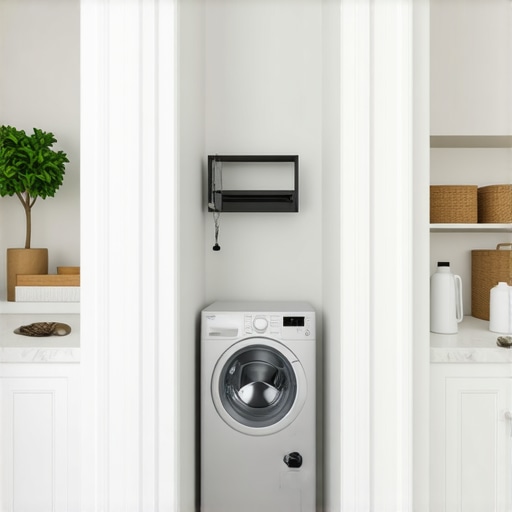
I’ll never forget the morning of the Great Sriracha Incident. My laptop was perched on the granite edge, precariously close to a plate of eggs. One overzealous squeeze of the bottle, and my work computer was covered in spicy red sauce. The vinegar-scented liquid didn’t just sit on the keys; it started to seep into the motherboard. I could smell the spice heating up as the fan kicked on. It was a $1,500 mistake that could have been prevented by a six-inch wide cabinet modification. It wasn’t just the mess; it was the realization that my kitchen—the heart of my home—wasn’t built for the way I actually live. We spend our lives in this room, working, scrolling, and Zooming, yet we treat our expensive electronics like they’re just another cutting board. This is where most people go wrong when they start thinking about custom cabinets. We plan for the pots, the pans, and the spice racks, but we leave the most essential tools in our house to fight for survival among the crumbs and spills. [image_placeholder]
Stop Treating Your Laptop Like a Spare Plate
If you are planning a renovation, you probably have a Pinterest board full of gorgeous islands and hidden pantries. But I’m here to tell you as a friend: if you don’t plan a dedicated spot for your tech, you’re going to regret it within the first week. I’ve seen so many homeowners invest in smart storage ideas to maximize your kitchen space only to end up with a tangled ‘cord-nest’ on the corner of their beautiful new countertop. It kills the aesthetic and, more importantly, it’s a disaster waiting to happen. My goal today is to show you how to integrate these hubs into your built-ins so they are both functional and invisible. The kitchen is high-traffic and high-moisture; keeping your MacBook away from the sink and the stove isn’t just about organization, it’s about insurance. Have you ever had a ‘heart-in-throat’ moment where a splash of water or a glass of wine almost claimed your laptop? Let’s fix that.
Is a dedicated tech hub really worth the cabinet space?
You might be thinking, ‘I only have so many cabinets, do I really want to give one up for a computer?’ I get it. Every square inch is precious. I made the mistake of trying to save space by shoving my chargers into a standard junk drawer. Within two months, I had a fried charging brick because there was zero airflow. Real-world experience taught me that a proper setup—like the drawer within a drawer move—actually saves you space by clearing the ‘tech-drift’ off your prep areas. According to data from tech insurance provider SquareTrade, nearly 30% of device accidents happen in the kitchen, often involving liquid damage that could have been avoided with a high-ground storage solution. By utilizing custom cabinets as a game changer in your design, you aren’t losing storage; you’re gaining the peace of mind that your work won’t be ruined by a spilled cup of coffee.
Stop Guessing and Start Mapping Your Zones
The biggest mistake I made during my first DIY project was thinking I could just “figure it out” once the boxes were installed. That’s like trying to bake a cake and deciding where the flour goes while the oven is already preheating. You need to identify your “Dry Zone” immediately. This is a specific section of your modern kitchen remodels featuring custom cabinets and built-ins that is at least four feet away from any water source and two feet away from the range. When we designed a kitchen for a freelance writer last year, we sacrificed a standard upper cabinet to create a “drop station.” It felt like losing space until she realized she finally had a place for her iPad that wasn’t splashed with pasta water. This is the core of creating seamless kitchen remasters with built-in storage solutions—it’s about protecting your assets.
How to Bake Ventilation into Your Cabinetry
Electronics generate heat; there is no way around physics. If you tuck your laptop into a sealed wooden box, you’re essentially putting it in a slow-cooker. I learned this the hard way when I tried to hide our mesh router inside a beautiful, seamless walnut cabinet. Three days later, the internet died because the router had thermally throttled to protect itself. Now, I always recommend using a drawer within a drawer move for organizing your junk drawer and tech, but with a twist: you need to use a vented back panel. Think of it like your own lungs; if the cabinet can’t “read” out the warm air and “inhale” the cool air from the room, your tech won’t last. When you are looking for smart storage solutions for small kitchens in 2025, look for drawer bottoms made of perforated metal or slatted wood to keep the air moving.#IMAGE_PLACE_HOLDER_B#
Pick the Right Depth for Your Devices
Standard base cabinets are 24 inches deep, which is great for pots but overkill for a laptop. If you build a tech hub too deep, your cords will migrate to the back and vanish into a black hole of tangles. Use the cabinet depth secret for storing large pizza stones and trays logic here: narrow it down. A 12-to-15-inch deep cabinet at eye level or a shallow pull-out tray is the sweet spot. I once installed a full-depth 24-inch drawer for a client’s charging station, and within a week, they were using a literal coat hanger to fish out a Lightning cable that had fallen behind the box. We ended up retrofitting it with a false back to bring the outlets forward. It’s much easier to use built-ins and storage hacks for a sleek functional kitchen when you don’t have to go spelunking for your phone charger.
Wire Management Is Not an Afterthought
You need a clear path for electricity that doesn’t involve drilling holes in your expensive new finish after the fact. When planning your custom cabinets as a game changer in your kitchen remodel journey, specify “grommet holes” in the interior dividers. These are the same plastic or metal-lined holes you see on office desks. By running your wires through these, you can keep the power strips hidden in the back while the cables emerge neatly right where the devices sit. It turns a “cord-nest” into a professional workstation. If you’re going for a high-end look, consider the secret to hiding outlets in a kitchen island with waterfall edges to keep the power accessible but invisible. This ensures that when you close the cabinet door, the mess stays inside, but the functionality stays 100% accessible.Most designers will tell you that every shelf in your home should be adjustable to offer the ultimate flexibility. While that sounds great in a showroom, I’m here to tell you that it’s a structural myth that can ruin a high-end project. In my experience, why every tall pantry needs a fixed middle support shelf is a rule that applies doubly to tech hubs. When you are housing heavy battery backups, multiple laptops, and charging docks, you need a rigid foundation. If your tech is sitting on a shelf that can bow or wobble, you are one accidental bump away from a cracked screen or a disconnected drive. Structural integrity is the unsung hero of custom cabinets for a stylish kitchen overhaul. One major ‘oops’ factor I see constantly is homeowners choosing melamine interiors because they look modern and clean, but the reality of why pre-finished maple interior is better than melamine becomes painfully obvious the moment a heavy metal laptop chassis or a set of keys starts to scuff the surface. Melamine chips and peels under the heat and friction of electronics; pre-finished maple remains resilient for decades. #IMAGE_PLACE_HOLDER_C#
Fixed Shelves Save Your Structural Sanity
We also need to discuss the silent killer of custom cabinetry: wood movement caused by localized heat. When you tuck your tech into a beautifully crafted box, you’re creating a micro-climate. I’ve witnessed gorgeous shaker doors warp and twist because a hidden router or a laptop docking station was cooking the wood from the inside out. This is a level of innovative storage solutions for modern kitchen remodels that often gets overlooked in the pursuit of a ‘seamless’ look. If you are leaning into custom cabinets ideas that transform your homes style, you must account for the fact that wood is a living material. The heat from your devices dries out the wood fibers unevenly, leading to permanent structural damage. This is why vented panels and airflow management aren’t just suggestions—they are insurance for your cabinetry.
Can your drawer hardware actually handle a heavy workstation load?
Most standard drawer slides are rated for 75 to 100 pounds, but that total includes the weight of the drawer box itself. When you add three laptops, two tablets, and a massive power brick, you are pushing the functional limits of standard side-mount slides. I always recommend that the same logic for why your trash pull out needs a bottom-mount slide be applied to your tech drawers. Heavy-duty, under-mount slides provide the lateral stability needed to prevent the drawer from grinding or racking when it’s fully extended. According to the National Kitchen & Bath Association (NKBA) Planning Guidelines, storage units intended for active electrical equipment require specific load-bearing hardware that exceeds standard residential grades to ensure long-term safety.
Don’t Let Aesthetics Blind You to Durability
The biggest trap is the ‘Aesthetics First’ blind spot. It is very easy to get caught up in the hidden costs of choosing custom colors for your cabinetry and completely forget that the cabinet screw mistake that causes heavy drawers to fail is what will actually define your daily experience three years from now. If the box isn’t built with the right fasteners, no amount of ‘perfect’ paint will save it from the stress of a high-use tech station. Have you ever fallen into this trap where a ‘cool’ design feature turned out to be a structural nightmare? Let me know in the comments.
Dust is the silent killer of kitchen electronics
Building the perfect tech hub is only half the battle; keeping it running is where the real work begins. Kitchens are inherently messy environments, full of aerosolized grease and flour dust that can clog up cooling fans in seconds. I make it a habit to use a canister of compressed air every three months to blow out the internal ports of my charging docks and the laptop vents. If you don’t, that grease-dust mixture creates a sticky insulation that traps heat. According to the ASHRAE Technical Committee 9.9, electronic equipment failure rates can double for every 18-degree Fahrenheit increase above recommended operating temperatures. This is why I advocate for a ‘clean air’ policy in your transform your kitchen with custom cabinets expert guide for 2025 approach.
Keep those drawers gliding like silk
Heavy tech drawers put unique stress on your hardware. If you start to feel any resistance, don’t ignore it. I personally use a dry PTFE (Teflon) spray lubricant because it doesn’t attract kitchen grit like traditional grease does. Learning why your soft-close slides grind and the quick lubrication fix will save you from having to replace expensive under-mount hardware three years down the line. It takes ten seconds to spray the runners, and it keeps the motion effortless. While you’re at it, check your door alignment. Settling happens in every home, and a quick the 5-minute hinge adjustment for fixing wonky cabinet reveals can prevent doors from rubbing and chipping your finish. 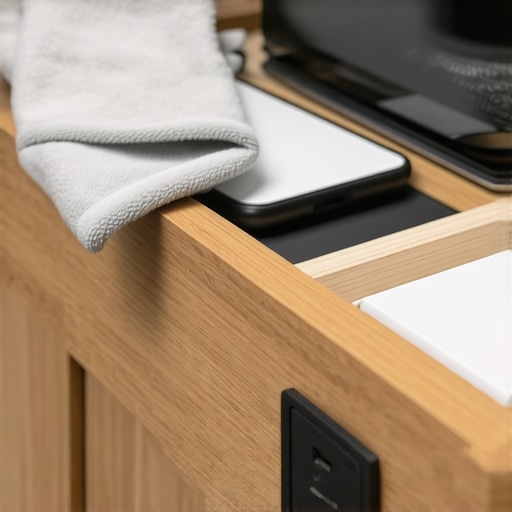
How do I maintain these high-tech cabinets over the long haul?
Maintenance isn’t just about the hardware; it’s about the wood too. Kitchen tech zones are prone to heat-related finish damage. I’ve found that using a damp (not dripping) microfiber cloth to wipe down the interior once a month prevents that ‘tech smell’ from lingering. If you happen to set a coffee mug down and leave a mark, knowing how to remove stubborn water rings from natural wood cabinet surfaces is a lifesaver. Most importantly, I predict that in the next five years, we will see a shift toward completely induction-based wireless charging embedded directly into the wood or stone. For now, keep your cables organized with Velcro ties rather than zip ties so you can swap out damaged cords without a knife.
Future proofing for the devices we don’t even own yet
The biggest mistake I see is people building ‘custom’ holes for a specific 2024 model iPad. That device will be a paperweight in five years. Instead, design your creating seamless kitchen remasters with built-in storage solutions with oversized cable runs and removable panels. I always recommend using a 2-inch grommet even if you only have one USB-C cord today. It gives you the flexibility to pull through a bulky power brick later. My advanced tip for today: go buy a can of dry PTFE spray right now and lubricate your most-used tech drawer. You will feel an immediate difference in the glide, and your hardware will thank you.
What I Wish I Knew Before I Cut My First Grommet Hole
One thing most designers won’t tell you is that tech hubs are dynamic. My biggest ‘lightbulb moment’ came when I realized that a rigid layout is the enemy of progress. If you drill a hole that only fits a USB-A cable, you will be frustrated when USB-C becomes the universal standard. This is where expert tips on selecting storage solutions for a perfect kitchen upgrade really matter—you need to plan for the ’empty space’ just as much as the electronics. I also learned that placing your Wi-Fi router next to a microwave is a recipe for dropped Zoom calls because of signal interference. By isolating my router in its own custom cabinets as a game changer in your kitchen remodel journey, I finally achieved stable speeds throughout the house.
My Personal Tech-Friendly Kitchen Toolkit
If you are serious about this, do not just rely on the builder’s basic hardware. I swear by these specific items to keep my setup pristine. First, a high-quality dry PTFE spray is the only way to keep heavy drawers moving without attracting flour dust. Second, Velcro cable wraps beat plastic zip ties every time; your future self will thank you when you need to swap a frayed charger without using a knife. Third, I always keep a 1/2-inch offset screwdriver in my kitchen junk drawer for those tight-space hinge adjustments. For those looking at modern kitchen remodels featuring custom cabinets and built-ins, these small tools make the difference between a project that looks good and one that actually works for years.
Protecting the Tools That Power Your Life
Designing a kitchen that respects your digital life is not a luxury anymore; it is a necessity. We have moved past the era where a ‘computer desk’ lived in a dark corner of the basement. Your kitchen is the control center of your home, and by creating seamless kitchen remasters with built-in storage solutions, you are acknowledging that your work and your family life deserve a protected, beautiful space to coexist. Do not be afraid to sacrifice that one extra spice rack for a station that saves your expensive laptop from a Sriracha spill. Your peace of mind is worth more than a few extra jars of cumin. Have you ever had a tech disaster in the kitchen that changed the way you think about storage? Let me know in the comments below!